Caching is a critical strategy for optimizing the performance and scalability of web applications. Ruby on Rails provides powerful built-in tools for caching, which can be enhanced with third-party backend apis like Redis and Memcached. This guide covers modern caching techniques in Rails, including ActiveSupport::Cache::Store, Active Cache, and Solid Cache.
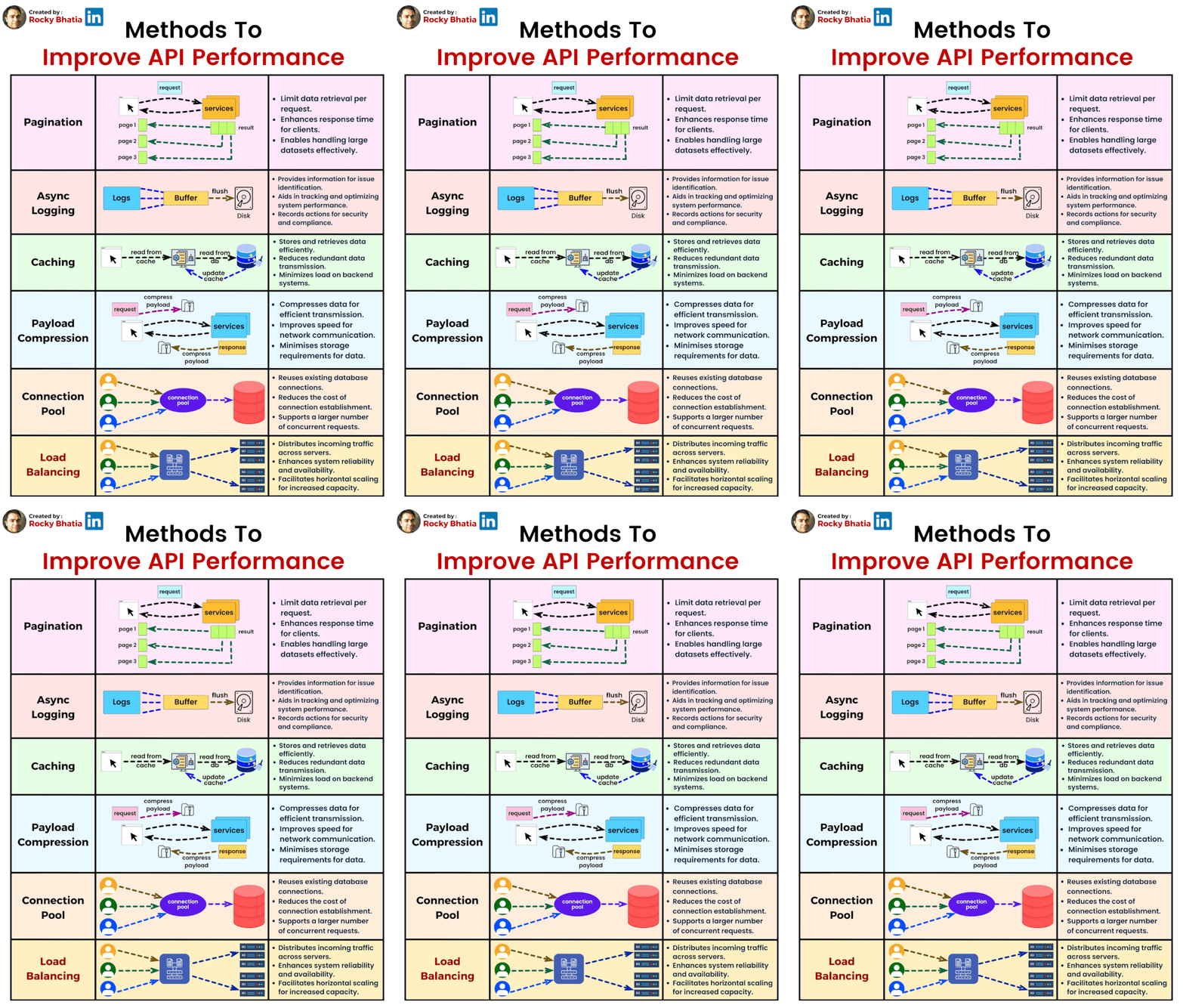
But what is Caching???
Caching is a technique used to store copies of expensive or frequently accessed data in a temporary storage (called cache), which can be retrieved more quickly than the original source. The main goal of caching is to improve the performance and scalability of applications by reducing the time it takes to fetch data and by reducing the load on resources like databases, APIs, and file systems. Caching is used in many different layers of a system, from hardware (CPU cache) to application-level techniques (web caching) and even at the server level (web server caching). Each technique serves to speed up data retrieval, reduce processing overhead, and improve the overall performance of a system.
Key Concepts in Caching:
- Cache: A storage layer that holds copies of data. It is faster than the original source, such as a database or external API.
- Cache Hit: When a request for data is fulfilled by the cache (the requested data is already stored).
- Cache Miss: When the data is not found in the cache, so the system needs to fetch it from the original source (e.g., a database).
- Expiration/TTL (Time to Live): The time after which the cached data becomes stale and is removed or refreshed.
- Eviction: The process of removing data from the cache, usually when the cache is full or the data has expired.
Types of Caching in Web Apps:
- In-memory Caching: Stores data in the memory (RAM) for quick access. Examples: Redis, Memcached.
- File-based Caching: Stores cached data in files on disk.
- Database Caching: Caches query results directly in the database, typically in a separate cache layer or in-memory.
- Browser Caching: Stores data like images, HTML, CSS, and JavaScript in the user’s browser to avoid reloading the same data on each visit.
You can watch this useful video by ByteByteGo on various caching levels and techniques.
1. Types of Caching in Rails
Rails supports multiple types of caching:
- Fragment Caching: Cache parts of views.
- Low-Level Caching: Directly cache specific data using
Rails.cache. - Query Caching: Cache SQL results for the duration of a request.
- Russian Doll Caching: Nest fragment caching to optimize updates.
- Active Cache: A high-performance caching layer introduced in Rails 8.
- Solid Cache: Ensures predictable key generation and smarter cache expiration.
- Memcached and Redis Integration: Third-party caching solutions for distributed environments.
2. Setting Up Caching in Rails
Enable caching in development mode:
rails dev:cache
This creates a tmp/caching-dev.txt file, enabling Rails’ default caching mechanisms.
3. Fragment Caching
Fragment caching saves parts of a view for reuse:
<% cache @article do %>
  <h2><%= @article.title %></h2>
  <p><%= @article.body %></p>
<% end %>
4. Russian Doll Caching
Nested fragment caching ensures efficient updates:
<% cache @article do %>
  <h2><%= @article.title %></h2>
  <% cache @article.comments do %>
    <%= render @article.comments %>
  <% end %>
<% end %>
5. Low-Level Caching
Low-level caching gives you control over what and how data is cached:
Rails.cache.fetch("key", expires_in: 10.minutes) do
  expensive_computation
end
6. Active Cache (Rails 8)
Active Cache provides advanced caching features, making it easier to work with dynamic data while maintaining high performance.
Configuration
Add Active Cache in config/environments/production.rb:
config.cache_store = :active_cache_store, {
  url: ENV.fetch("REDIS_URL") { "redis://localhost:6379/1" },
  expires_in: 30.minutes,
  namespace: "active_cache"
}
Example Usage
Rails.cache.fetch("dashboard_stats") do
  expensive_stats_computation
end
7. Solid Cache
Solid Cache enhances cache management by ensuring predictable key generation and smarter expiration strategies.
Installation
Add Solid Cache to your Gemfile:
gem "solid_cache"
Example Usage
SolidCache.fetch("articles/#{article.id}") do
  article.expensive_method
end
8. Query Caching
Query caching is enabled by default in Rails and caches SQL results for the duration of a request:
ActiveRecord::Base.cache do
  User.where(active: true).to_a
end
9. Testing Caching
Use Rails’ built-in test helpers to verify caching behavior:
test "caches expensive operation" do
  Rails.cache.clear
  assert_nil Rails.cache.read("expensive_key")

  Rails.cache.fetch("expensive_key") { "expensive_data" }
  assert_equal "expensive_data", Rails.cache.read("expensive_key")
end
10. Redis for Caching
Configuration
Add Redis as the caching backend by configuring the cache_store in config/environments/production.rb:
config.cache_store = :redis_cache_store, {
  url: ENV.fetch("REDIS_URL") { "redis://localhost:6379/1" },
  namespace: "my_app_cache",
  expires_in: 1.hour
}
11. Memcached for Caching
Memcached is a distributed memory caching system. Rails supports Memcached through dalli.
Installation
Add the dalli gem to your Gemfile:
gem "dalli"
Run bundle install to install the gem.
Configuration
Set up Memcached as the caching backend:
config.cache_store = :mem_cache_store, "localhost:11211",
  { namespace: "my_app", expires_in: 30.minutes, compress: true }
Example Usage
Rails.cache.fetch("user_#{user.id}") do
  user.expensive_method
end
12. Choosing Between Redis and Memcached
| Feature | Redis | Memcached |
|---|---|---|
| Data Persistence | Supports persistence | In-memory only |
| Data Structure Support | Rich data structures | Simple key-value pairs |
| Scalability | Horizontally scalable | Highly scalable |
| Use Case | Advanced use cases (e.g., pub/sub) | Simple caching solutions |
Recommendation: Use Redis for advanced use cases or when you need data persistence. Memcached is a lightweight choice for simple, high-speed caching.
Key Takeaways
- Rails offer robust caching tools with ActiveSupport::Cache::Store.
- Use Redis or Memcached for distributed caching.
- Adopt Active Cache for high-performance caching in Rails 8.
- Use Solid Cache for better key management and expiration.
- Always test caching strategies to ensure correct behavior in production.
Caching is essential for performance optimization in modern web applications. With these tools and techniques, you can ensure your Rails app remains fast and scalable. Happy caching!